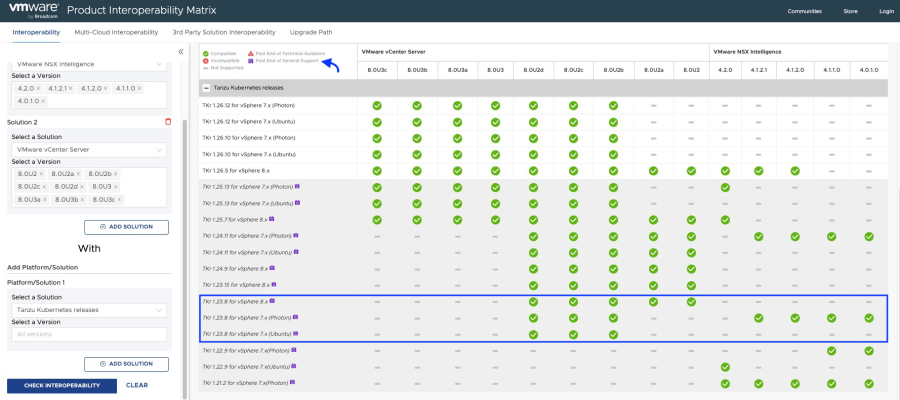
If you have deployed NSX Application Platform (NAPP) using the latest version of NAPPA (NSX Application Platform Automation Appliance) and upon completion of the deployment you notice that the Guest Cluster supporting the NAPP solution is on a TKR (Tanzu Kubernetes release) version of v1.23.8, this post is for you, and I will explain how to resolve it in under 3 minutes.

Well, if you’re here, it’s because you’ve already realized that even though you’re using the latest version of NAPPA, it is deploying the Guest Cluster in an unsupported version (v1.23.8).

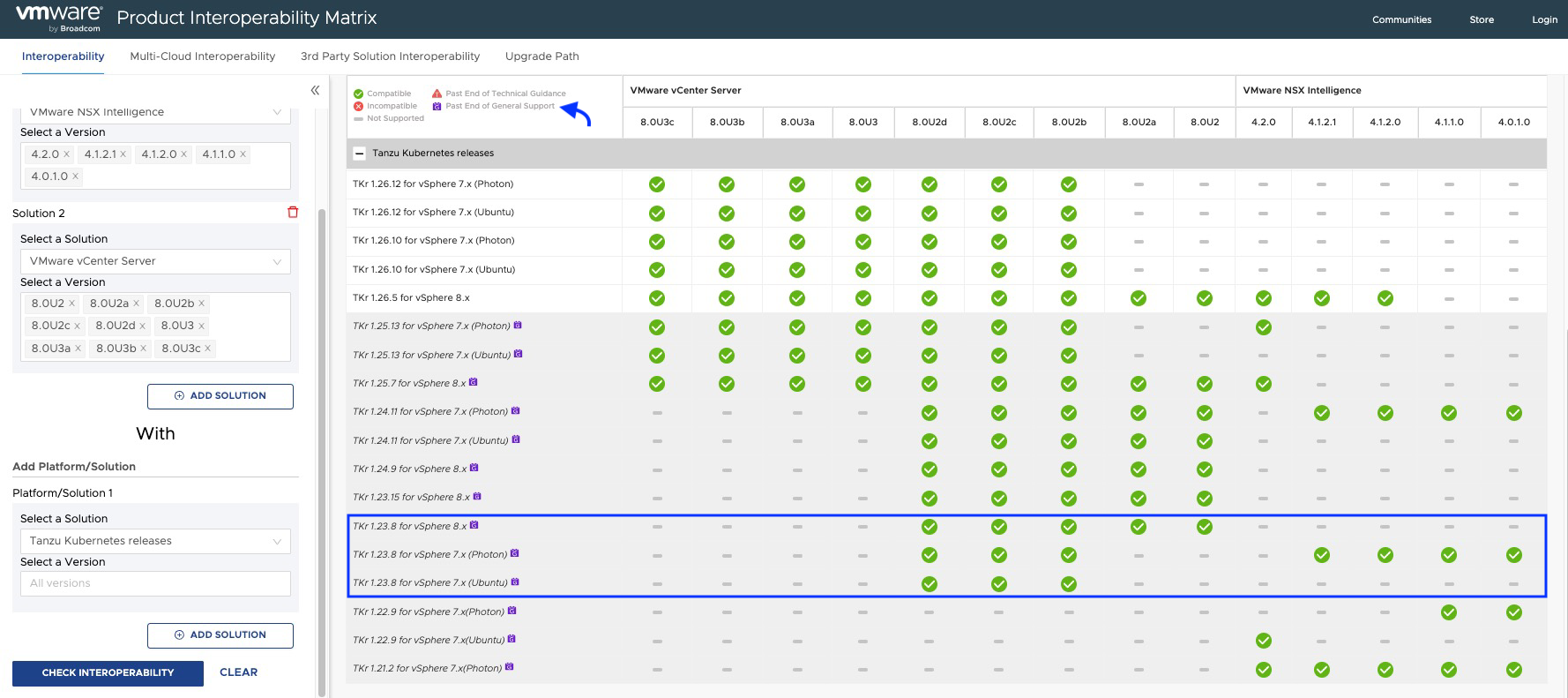
The bad news is that it is a reported issue with the NAPPA tool (version 4.2), which, although it has three images of TKR incorporated and loads them into the content library, ends up choosing version v1.23.8 instead of v1.27.6, even though both were shown as COMPATIBLE.

Solutions
At this point, you have two options: update from TKR v.1.23.8 until you reach at least v1.26.5, although I would recommend going for v.1.27.6. I will be posting an article for that update soon, so don’t miss it!
The other option, which is smarter and requires less effort, is to remove the deployment using the CLEANUP function of NAPPA to redeploy it while keeping in mind some considerations that I will explain later.
If you decided to remove the deployment, go to NSX Application Platform Automation Appliance, proceed next to the wizard until you reach the end. This is where your deployment should have finished; start from the last stage of deployment > Deploy NAPP and click on CLEANUP.

Note: If you had already activated any NAPP service with NSX Intelligence, go to the NSX graphical interface and click on remove that service; otherwise, it will not let you delete the deployment. Once the service is removed, it should look like the following image.

After doing the same (CLEANUP) in the Deploy TKGs stage. This will remove the deployment of NAPP and vSphere With Tanzu from your environment to simply redeploy it.
WARNING! Do this only if you have deployed vSphere With Tanzu using the NAPPA and only for the purpose of the NAPP.
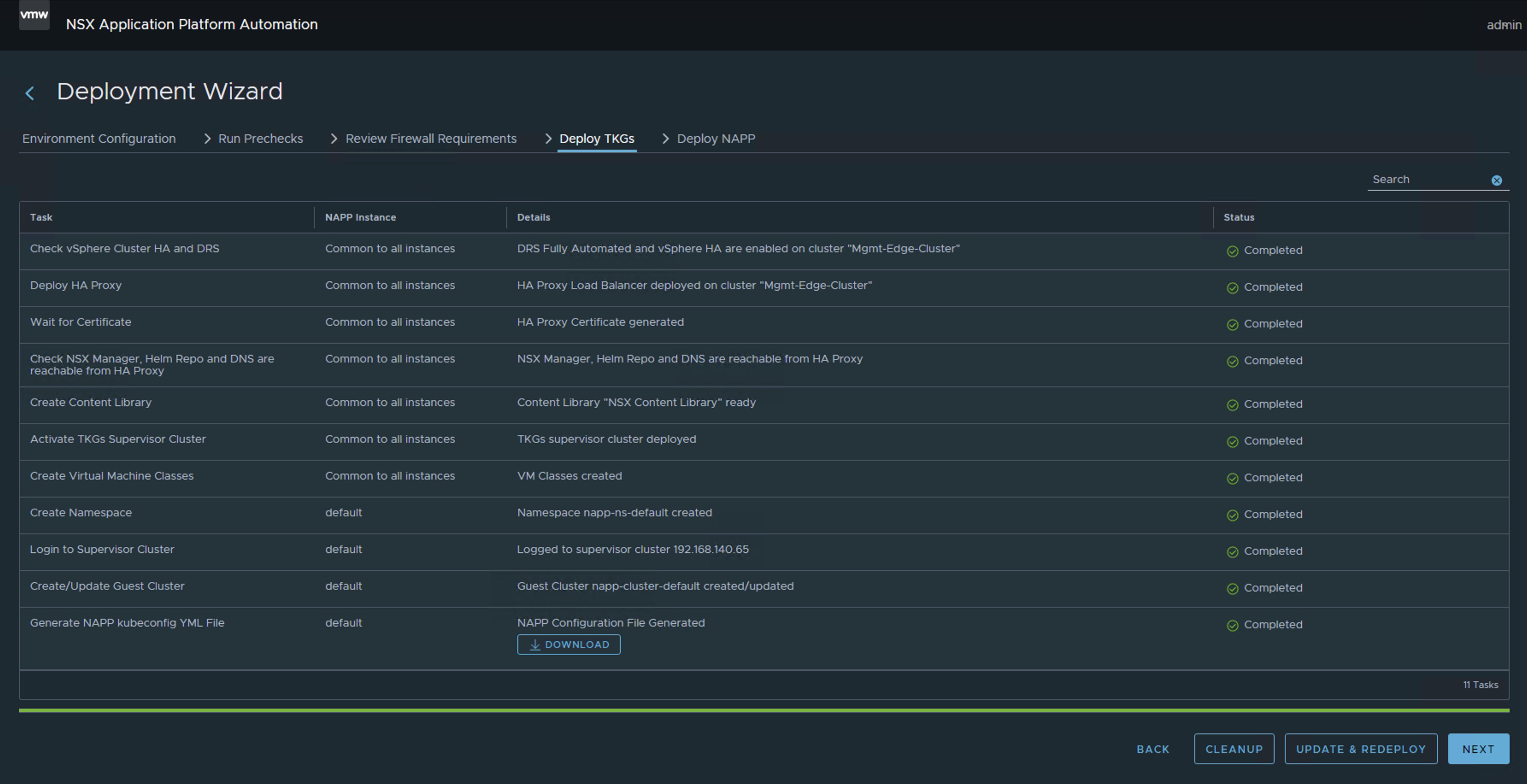
At this point, you have only made a couple of clicks to remove the deployment, which is why it is my preferred option.
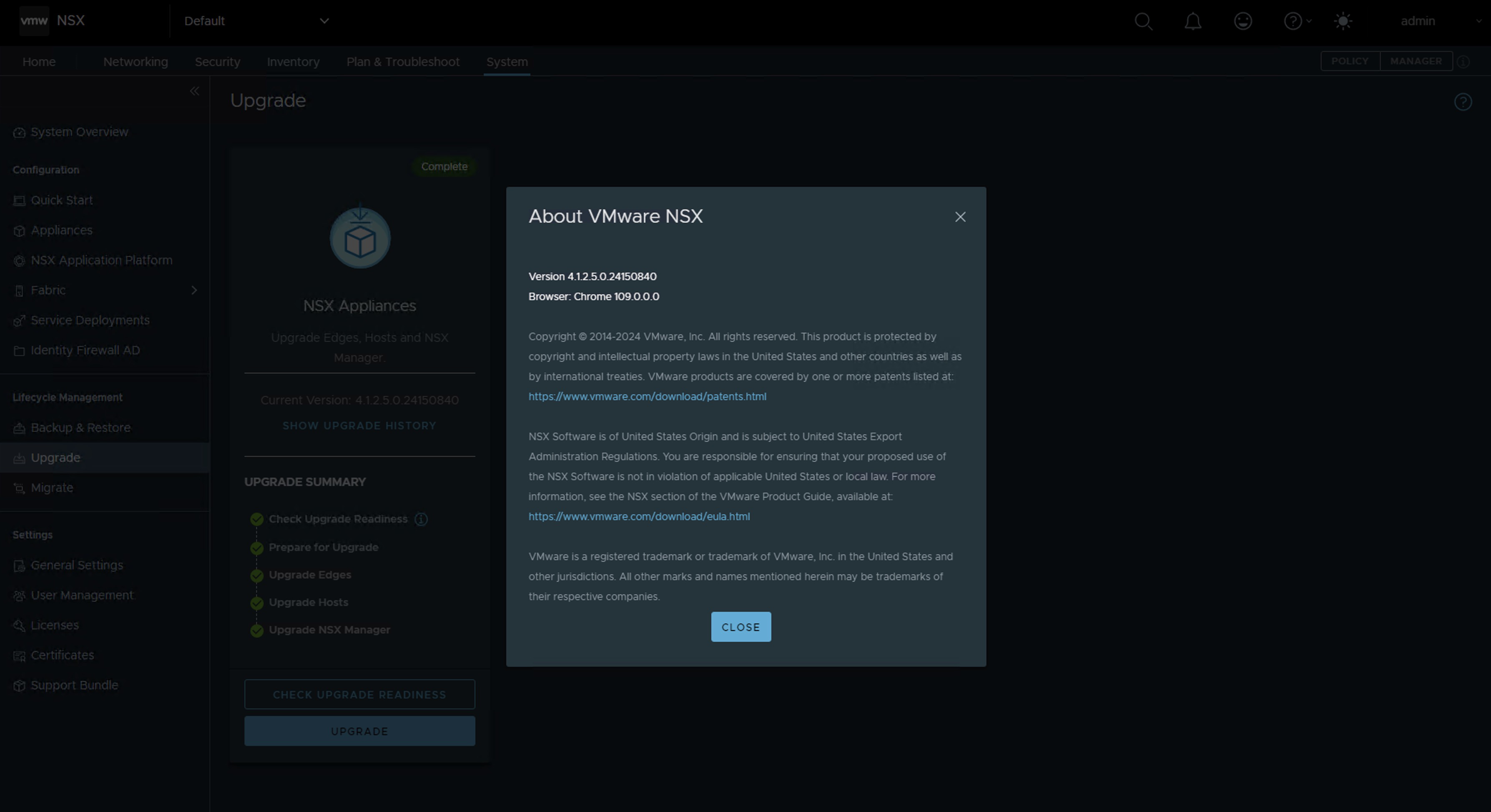
Now you just need to update NSX to version 4.1.2.2 or higher and relaunch the NAPP. This update is very straightforward; moreover, it will help you to get rid of one or two vulnerabilities that you might have in the environment.
In my case, I upgraded from NSX version 4.1.2.1 to version 4.1.2.5.
Here you just need to restart the NAPPA assistant from the beginning; the good news is that all the data is already preloaded, you just have to re-enter a couple of passwords.
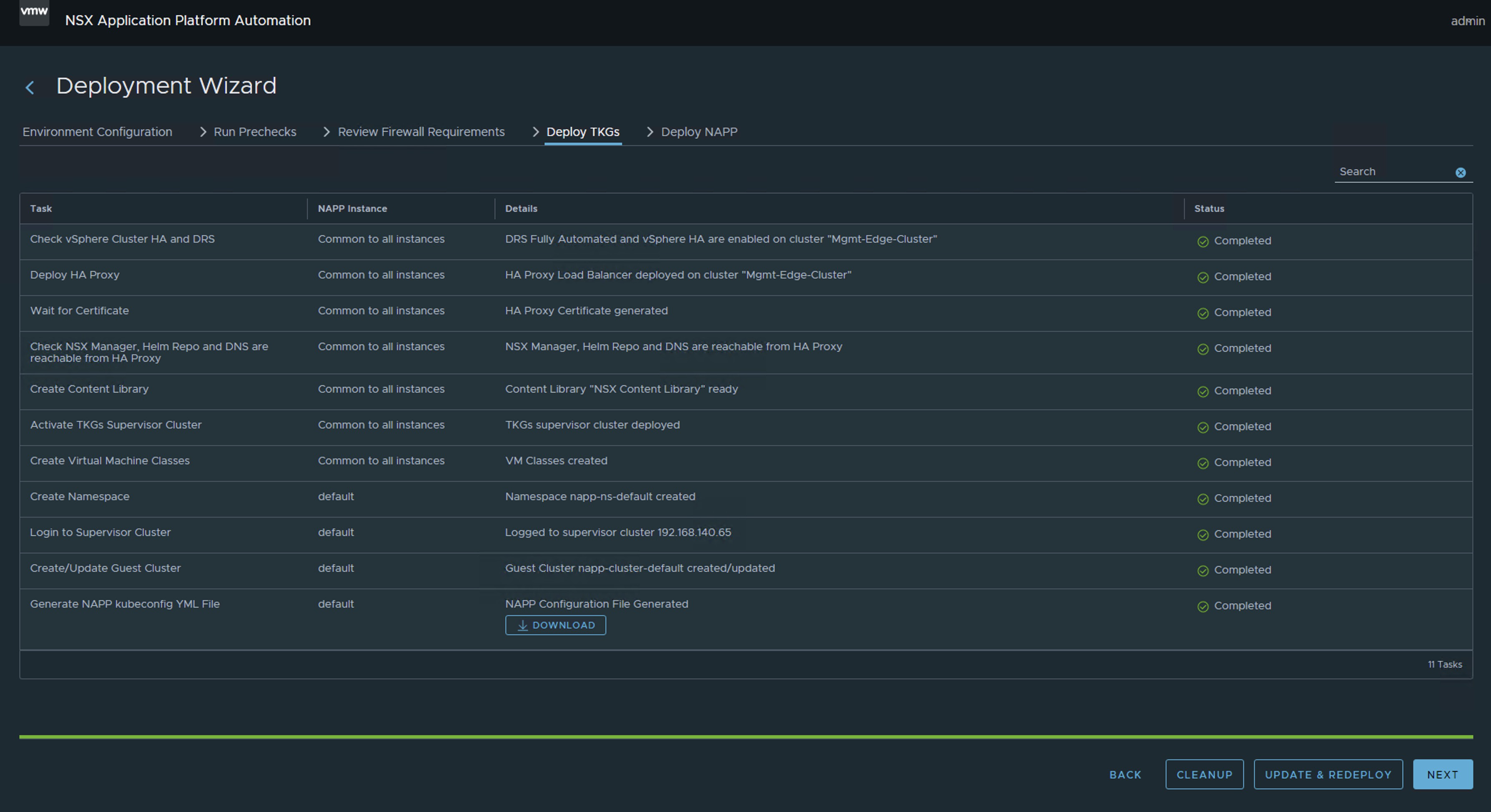

If all has gone well, you should now have the Guest Cluster deployed that supports the NSX Application Platform (NAPP) in the supported and compatible version (v1.27.6).

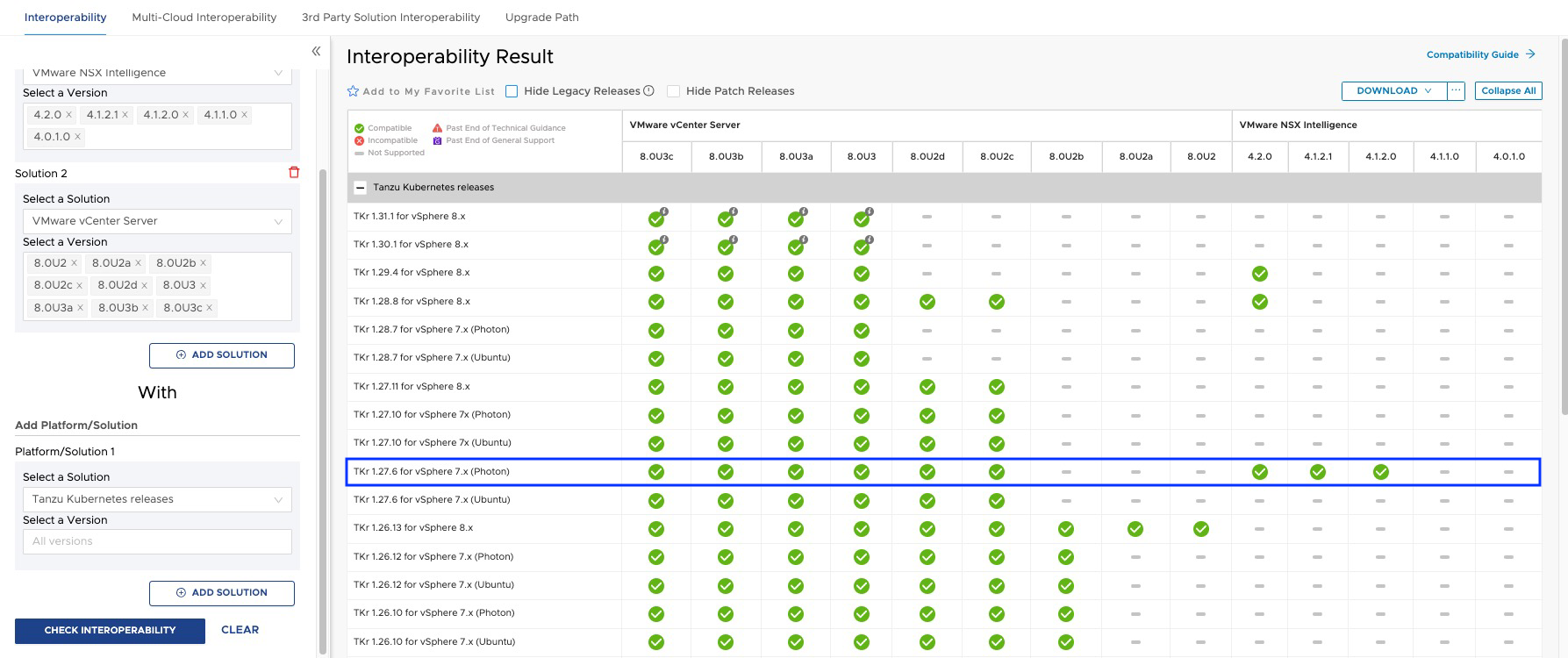
And that’s all, friends! With this, we confirm that when we have a version of NSX higher than 4.1.2.2, the guest cluster is deployed with version v1.27.6.

ALL VM NAMES USED IN THIS BLOG ARE FICTITIOUS AND RELATE TO A CUSTOM LAB ENVIRONMENT USED FOR STUDY PURPOSES.
IMPORTANT! I have migrated the blog from the domain nachoaprendevirtualizacion.com to nachoaprendeit.com. If you found this article helpful, please give it a Like and share it with your colleagues; these actions will help me optimize search engines to reach more people.
 Nacho Aprende IT