

CONTENT
- What is the NAPP
- NAPP Deployment
- The issue: TKR version out of support
- Compatibility Analysis
- Solution
- Important Notes
- Reference screenshots for additional updates (jumps).
- Update Kubernetes Tools
This post is aimed at those who need to update the version of the Kubernetes cluster that supports the NSX Application Platform (NAPP) solution. It must always be aligned with VMware’s interoperability matrix. The process we will describe below should also be followed when performing an upgrade of NSX (which uses NAPP), vCenter (with vSphere with Tanzu), or VCF (with Workload Management enabled) to avoid breaking the integration with the Kubernetes (K8s) clusters.
What is the NAPP
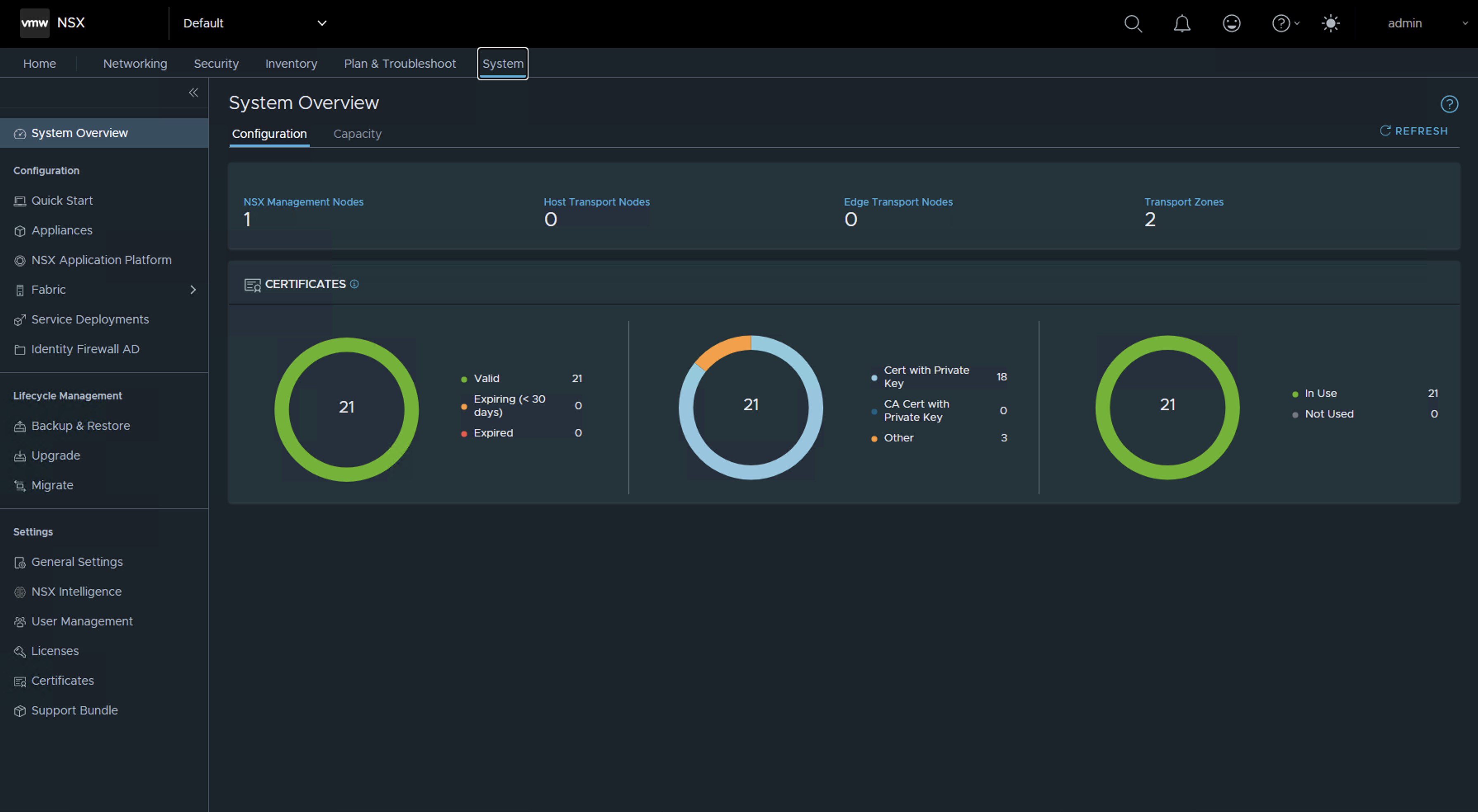
NSX Application Platform (NAPP) is a microservices-based platform that houses various NSX functions that collect, ingest, and correlate network traffic information. As data is generated, captured, and analyzed in your NSX environment, NSX Application Platform provides a platform that can dynamically scale based on the needs of your environment.
The platform can host the following NSX functions that collect and analyze data in your NSX-T environment.
- VMware NSX® Intelligence™
- VMware NSX® Network Detection and Response™
- VMware NSX® Malware Prevention
- VMware NSX® Metrics
For more information, we can consult the official documentation NSX Application Platform Overview.
NAPP Deployment
For those who are unclear about what constitutes a NAPP (NSX Application Platform) deployment, we can provide an image that summarizes the deployment components. The main component supporting the NAPP solution is the vSphere with Tanzu solution.

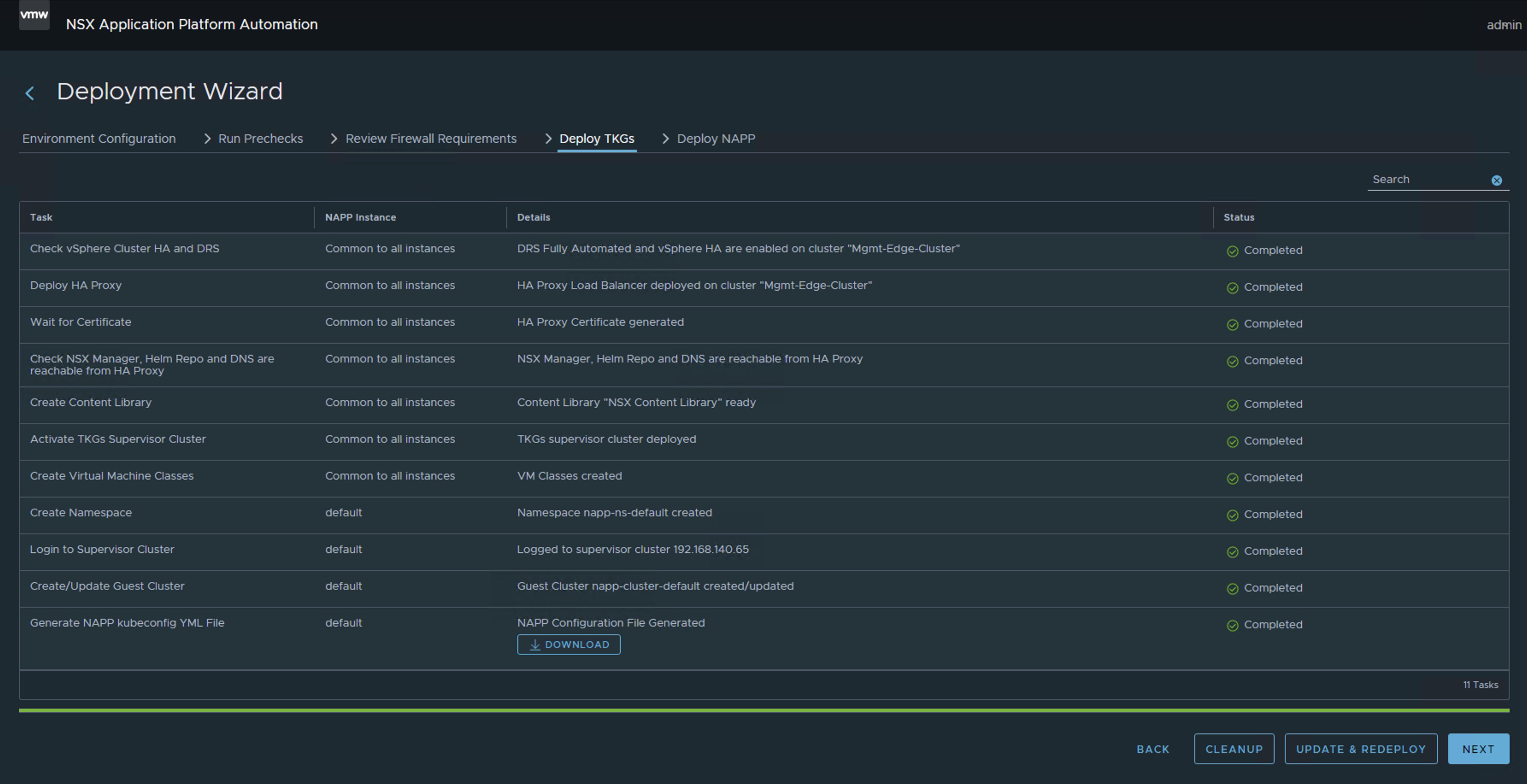
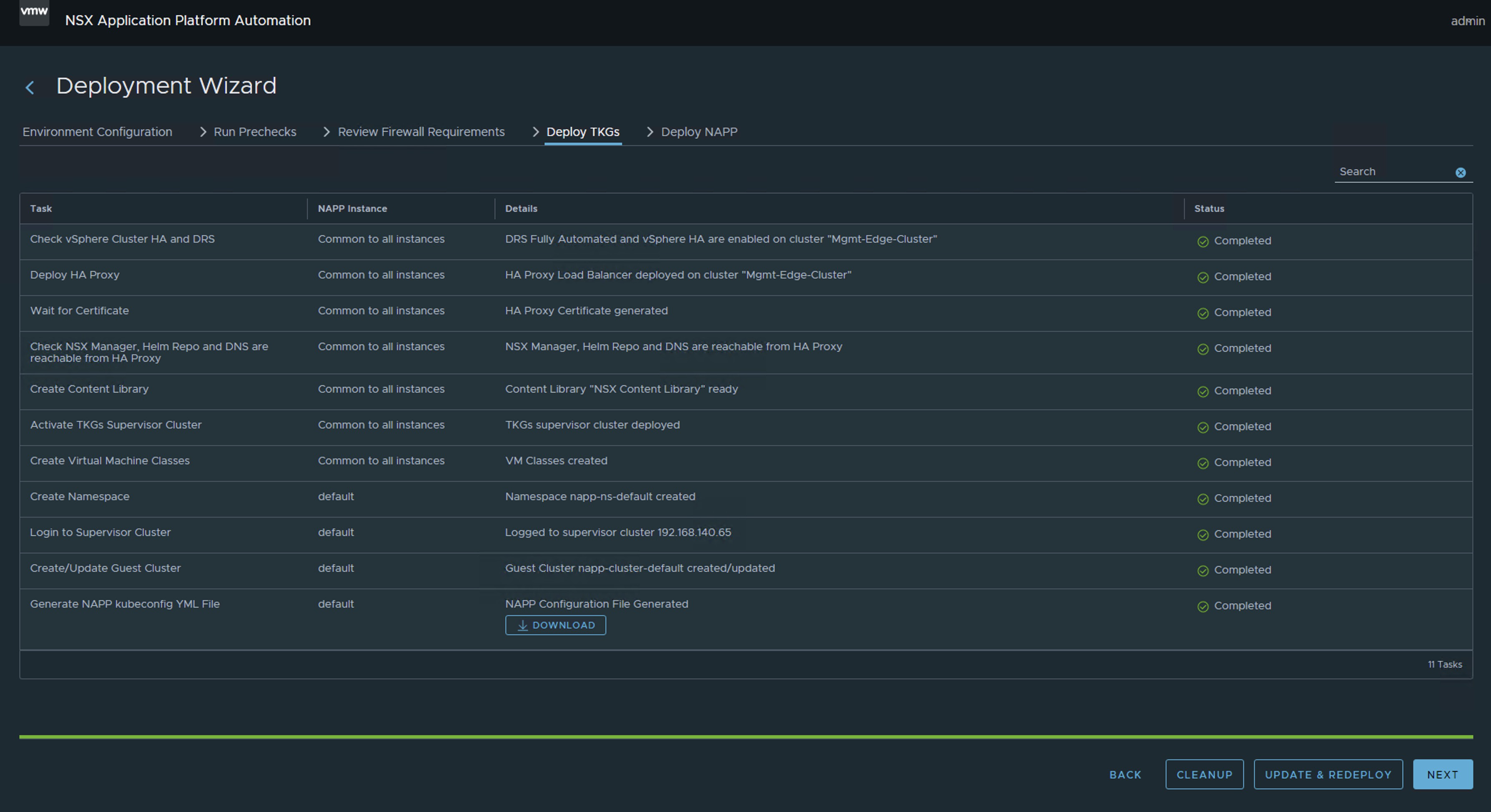
I know that the previous image may cause fear. However, the engineering team at VMware By Broadcom has developed a tool called NAPPA (NSX Application Platform Automation Appliance) in order to facilitate the deployment of each of the components that make up the entire Kubernetes infrastructure required to support the NAPP (NSX Application Platform) solution.
This way, NAPPA executes flows automatically to configure vSphere with Tanzu, which is a solution that allows us to run K8s clusters directly on the hypervisor through the creation of vSphere Namespaces. Similarly, NAPPA, using the Supervisor Cluster deployed with vSphere with Tanzu, automatically creates a vSphere namespace, where a Tanzu Kubernetes Cluster is established, which we will refer to as the Guest Cluster from now on, and this is where the NSX Application Platform solution comes to life, along with all the pods associated with the services of Metric, VMware NSX® Intelligence™, VMware NSX® Network Detection and Response™, VMware NSX® Malware Prevention, and VMware NSX® Metrics.
To make the story shorter, we’ll leave it at that.
The issue: TKR version out of support
Now, the problem we are going to solve here is how to maintain this Guest Cluster after implementing it with the NAPPA. Because in many instances, depending on the version of NSX we had at the time of deploying the NAPP (NSX Application Platform), the version of that cluster may remain on an unsupported version which can cause issues as we update our vSphere and NSX environment.
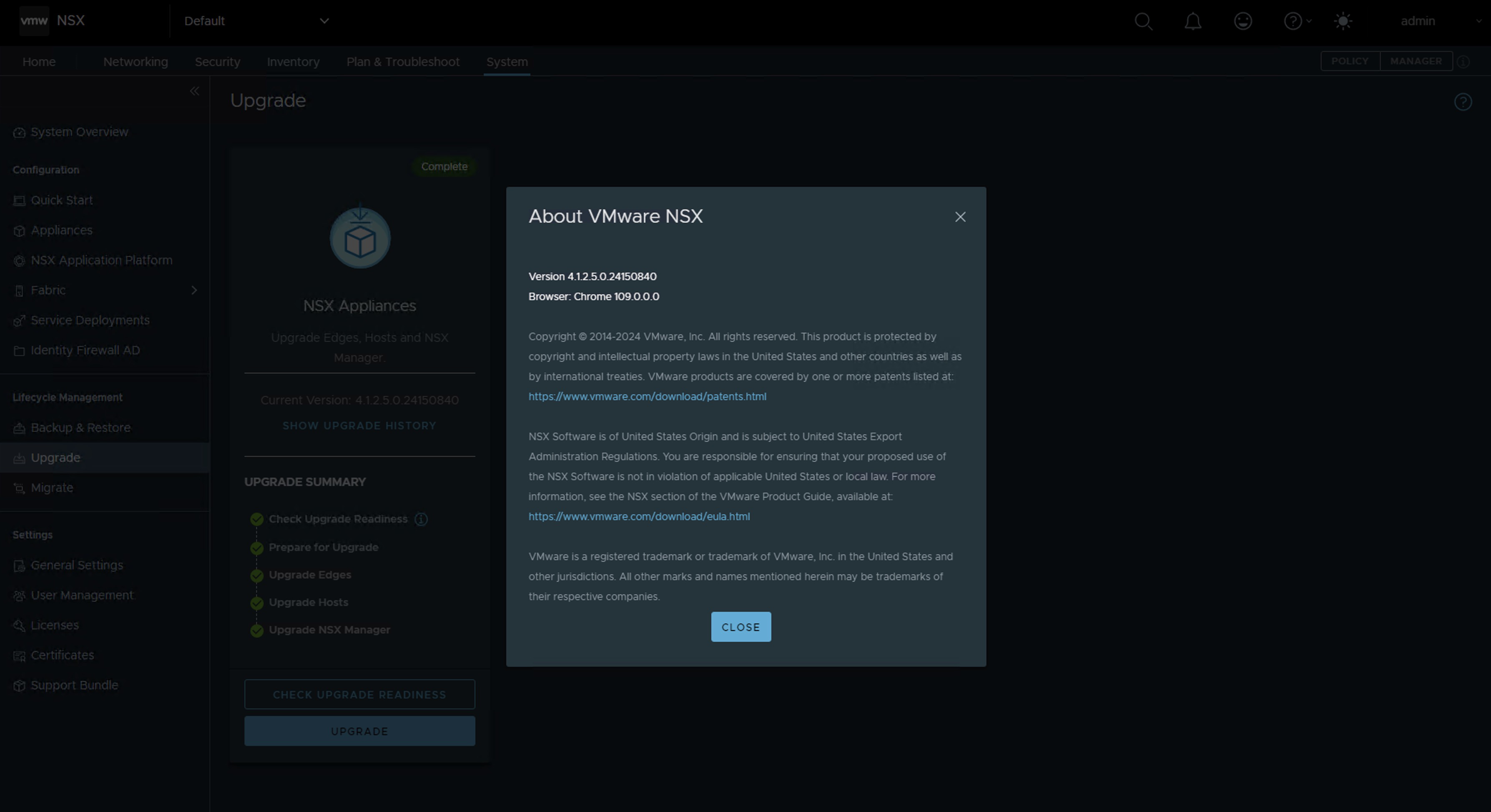
For laboratory purposes, we have deployed the latest version of NAPP 4.2.0, and interestingly, the guest cluster has been implemented using the TKR version 1.23.8+vmware.3-tkg.1, which as of now is out of support. This behavior is a known issue for the NAPPA tool, and to avoid this behavior, I invite you to read the following post Deploying NAPP with supported TKR version.

Compatibility Analysis
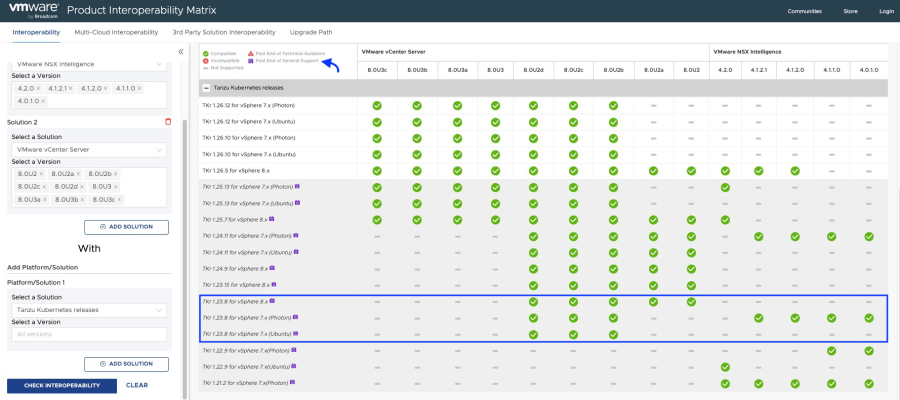
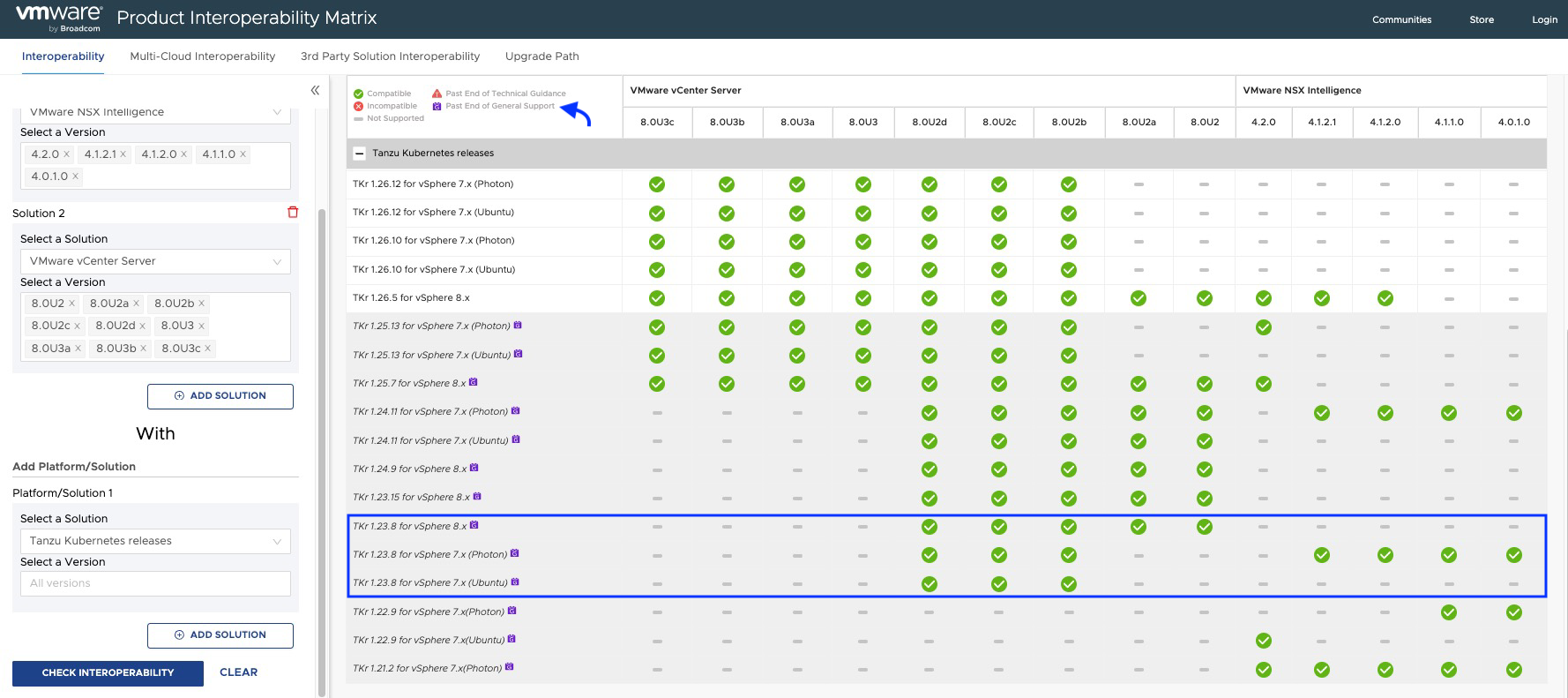
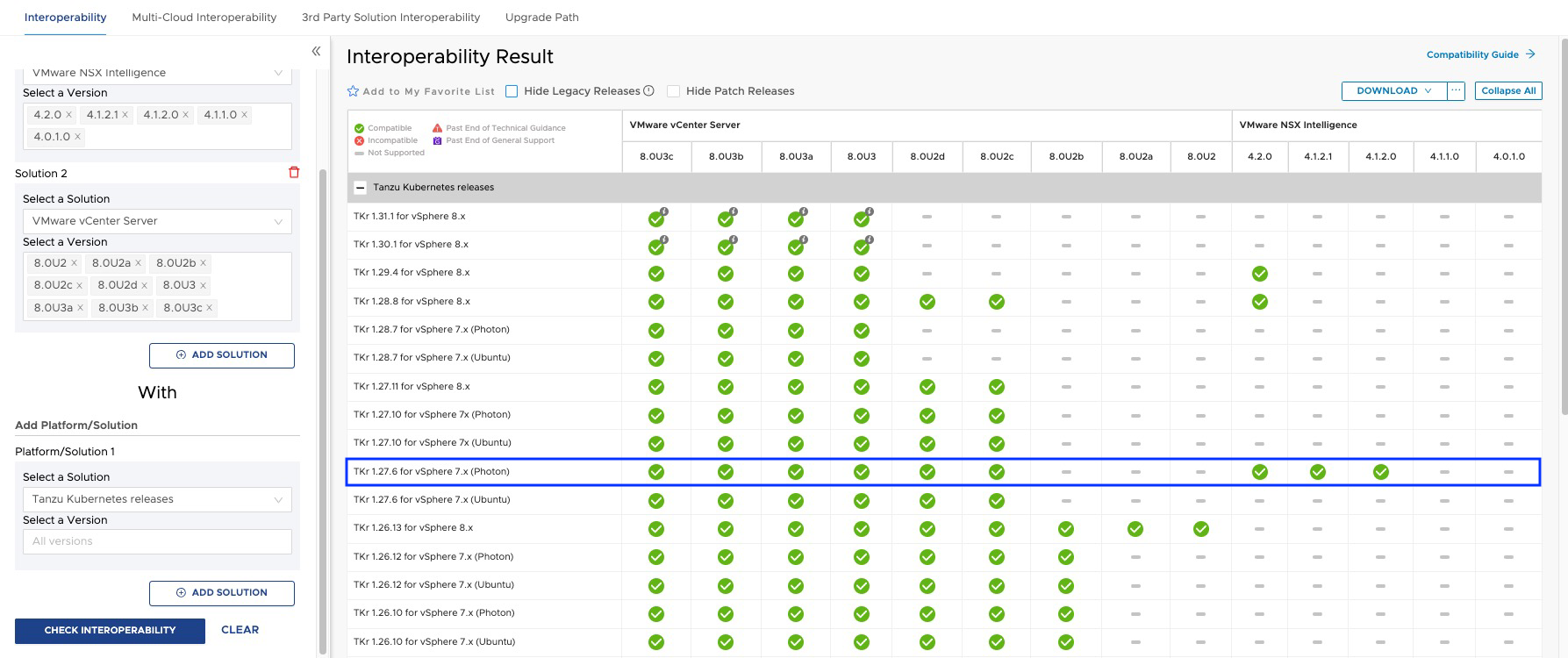
According to the interoperability matrix, we should meet the following minimum versions of TKR.

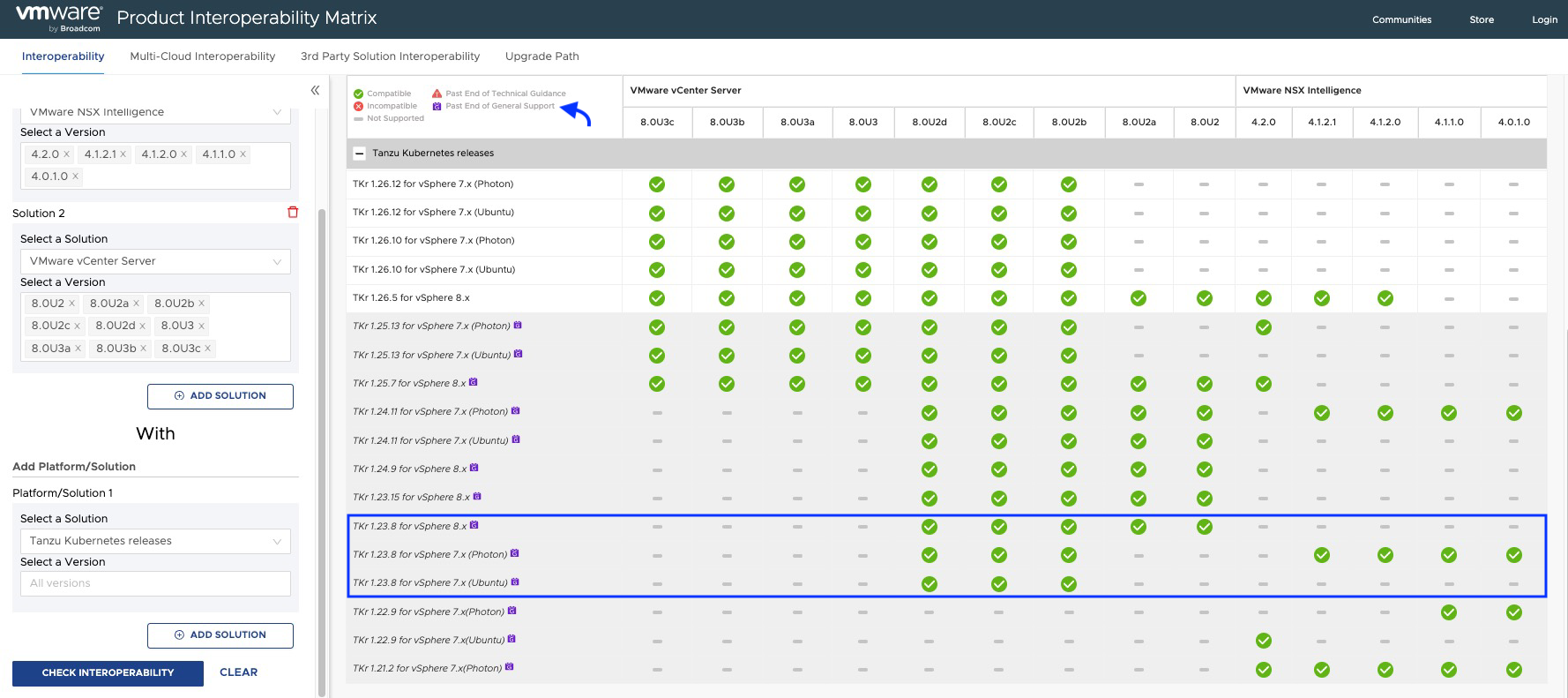
As we can see in the interoperability matrix, TKR versions below 1.26.5 used by the NAPP guest cluster are currently out of support, and some of them may not be compatible with your NSX Intelligence or your vCenter Server.
Note: The procedure explained below should be performed when we upgrade NSX or vCenter Server, whether as a result of an update of VMware Cloud Foundation (VCF) or when we update these solutions independently, in order to keep the NAPP cluster compatible and within VMware by Broadcom support.
Without further ado, let’s go to the Lab!
Solution
The first thing we will do is follow the documentation Update a TKG Cluster by Editing the TKR Version, but don’t worry, here we will explain it step by step.
Note: We must keep in mind that the TKR version can only be upgraded incrementally, n + 1, meaning that if we have version 1.23, the first jump must be to 1.24 and so on, until reaching the required version.
- Log in to the NAPPA via SSH, using the
rootuser, so that we can connect to the cluster supervisor without needing to install any plugins on our VM, and we will execute the following command.

- Run the following command to connect to the Supervisor cluster. If you don’t know the IP of the Supervisor Cluster, just go to vCenter Server > Menu > Workload Management > Namespaces > Supervisor Cluster

kubectl vsphere login --insecure-skip-tls-verify --server [IP_SupervisorCluster] --vsphere-username administrator@vsphere.local
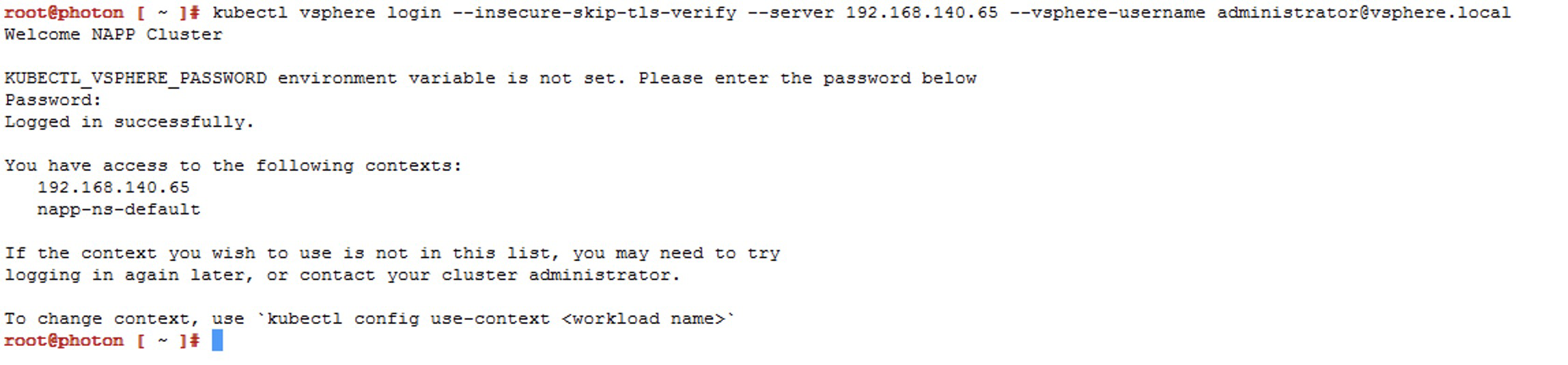 Now we will choose the context that has our napp deployment, which should be
 napp-ns-default, and for this we use the following command
kubectl config use-context [context_name]

-
We will validate the compatible versions of TKR available in the content library linked to that namespace, using the following command
kubectl get tkr

Here we can see that NAPPA has published three images in the content library, including the image1.27.6+vmware.1-fips.1-tkg.1, which is newer and compatible. However, at the time of deployment, the1.23.8+vmware.3-tkg.1was used, which is unfortunate because now we have to upgrade the Guest Cluster to reach that version or a higher compatible one according to the interoperability matrix.Note: During deployment, NAPPA configures a content library called NSX Content Library in the vCenter, with those three images. However, we cannot jump from
v1.23.xtov1.27.xas previously mentioned, so we will have to upload the images to that library.

-
To download and upload the missing images to the content library, we need to go to the following URL https://wp-content.vmware.com/v2/latest/lib.json or we could also create a new Content Library Subscribed with the following URL
https://wp-content.vmware.com/v2/latest/lib.jsonand connect the namespace to that library.In this case, we will use the first option, and our first jump will be to version
v1.24.x
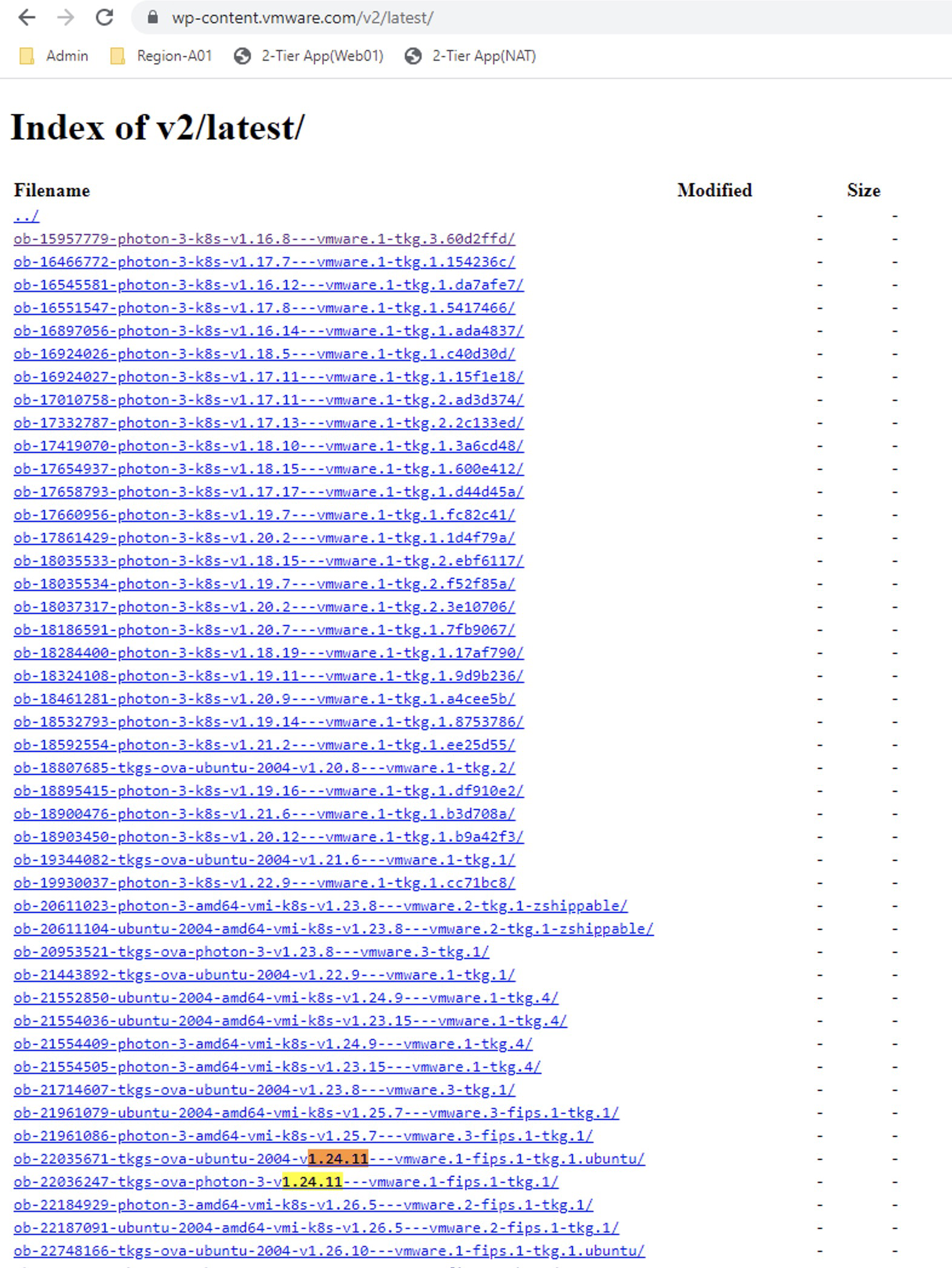
In the repository, we see two images, but we will select the one calledob-22036247-tkgs-ova-photon-3-v1.24.11---vmware.1-fips.1-tkg.1that is of course compatible according to the interoperability matrix. So we click on it and then right-click onphoton-ova.ovfto copy the link.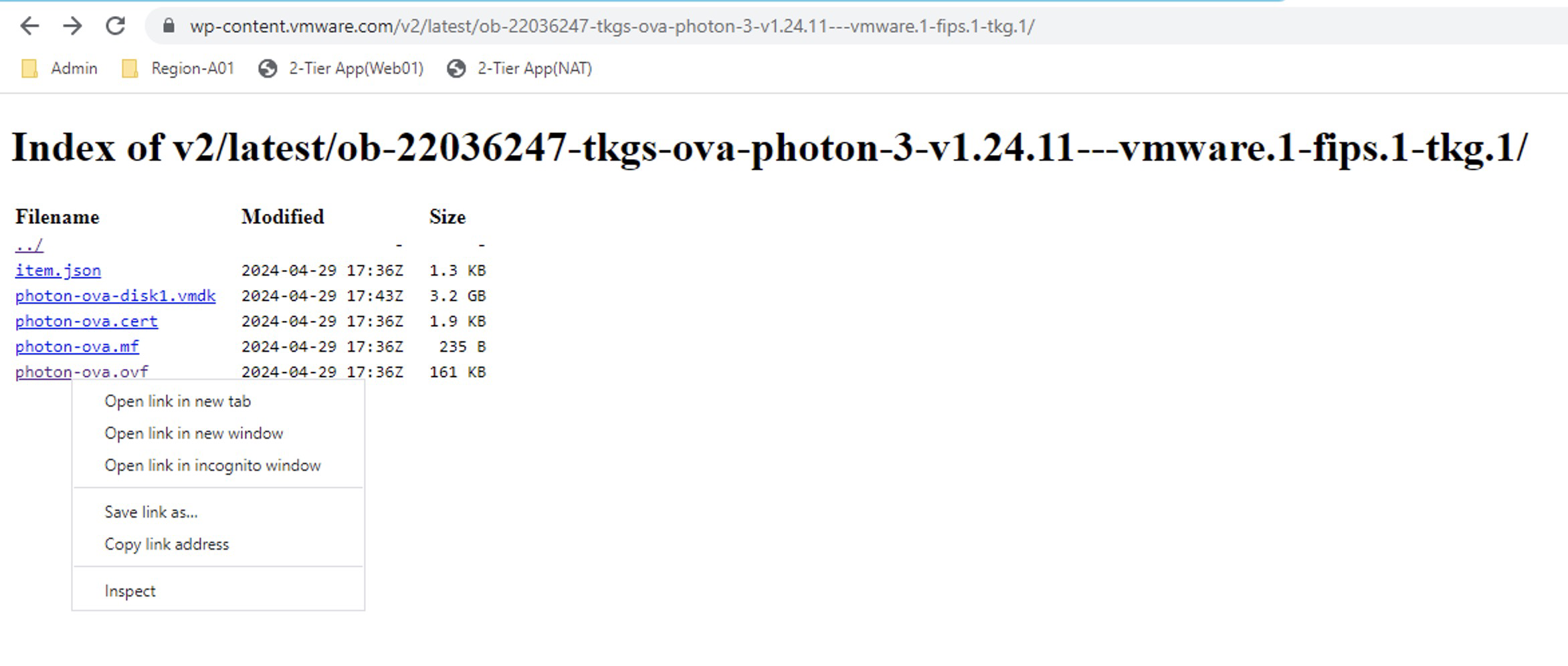
Now let’s go to the content library NSX Content Library > Actions > Import Library Item and select the URL option, where we will paste the copied link earlier.
Click on IMPORT and wait for it to download.
Note: In the item name, I recommend using the same name as in the download portal for easy identification.
The Content Library should look like the following. Remember that the images we have selected have been chosen considering the interoperability matrix between NSX intelligence and Tanzu Kubernetes Releases. Repeat the steps for the following images that will be the gradual jumps:
ob-22757567-tkgs-ova-photon-3-v1.25.13---vmware.1-fips.1-tkg.1
ob-23319040-tkgs-ova-photon-3-v1.26.12---vmware.2-fips.1-tkg.2
ob-23049612-tkgs-ova-photon-3-v1.27.6---vmware.1-fips.1-tkg.1
ob-24026550-tkgs-ova-photon-5-v1.28.7---vmware.1-fips.1-tkg.1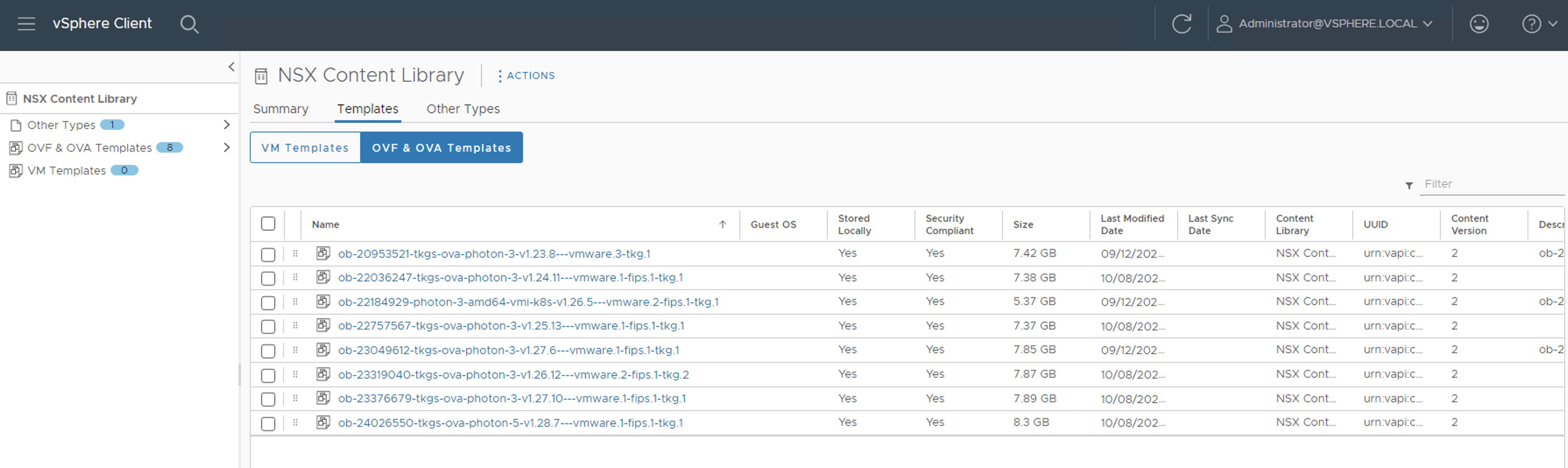 Now if we run the command
 kubectl get tkragain, the images we have uploaded should showtruein theREADYandCOMPATIBLEcolumns.
Note: We should not apply any image that does not meet these conditions.
- Now we run the following command to see the next available version of the Kubernetes cluster and the name of the Guest Cluster that we are going to intervene.
kubectl get tanzukubernetescluster

- We list the Tanzu Kubernetes releases
kubectl get tanzukubernetesreleases

- We execute the following command to edit the manifest of the Guest Cluster
kubectl edit tanzukubernetescluster/CLUSTER-NAME

Here we will edit only the lines of references for thecontrolplaneandnodePoolsthat appear within thetopologyobject

- Verify that the output of the
kubectlcommand indicates that the manifest edit was successful

- Verify with the following command that the Guest Cluster is updating
kubectl get tanzukubernetescluster

Note: In the command output, we see that theREADYcolumn saysFalse; we must wait for it to appear asTrue. Patience is key, this may take up to 30 minutes. - Once updated, it should look as follows

- We repeat steps 8 to 11 until we reach the target version. For example, our next jump will be to version
v1.25.13---vmware.1-fips.1-tkg.1and so on. However, before doing so, read the following important notes. - At the end, we should see the distribution version as follows

Important Notes
Note 1: We can monitor the process from napp-ns-default > Monitor
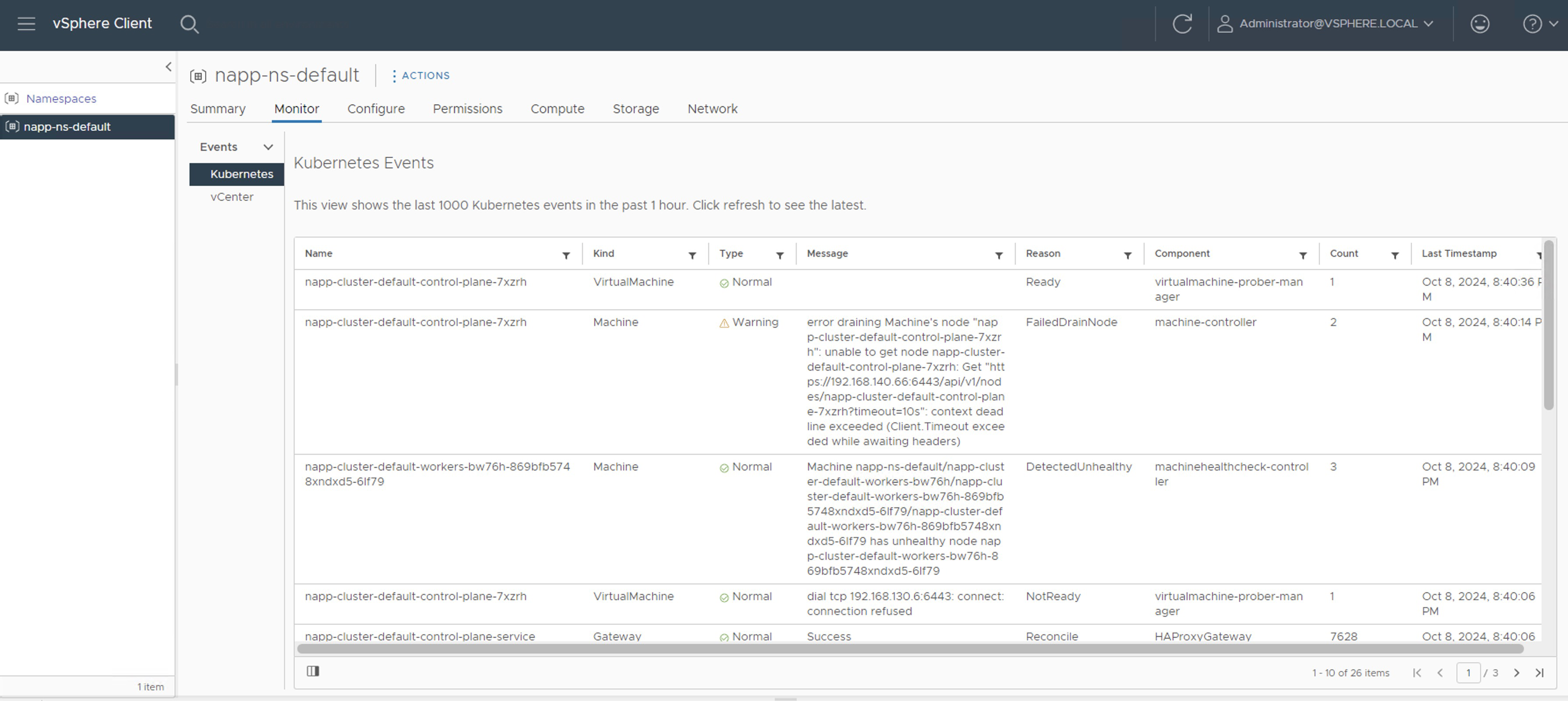
In napp-ns-default > Compute, we must wait until the Phase column changes from Updating to Running. However, when Running appears, it does not indicate that it has finished. We can still see events and tasks running in the inventory.

Note 2: During each upgrade jump, we will see how additional nodes are created while the process occurs. The upgrade begins with the Control Plane nodes and then with the Worker nodes. It is important that before starting the next jump, we verify that there are no running tasks, and that the number of nodes in the inventory is correct; in my case, the LAB should only have one Control Plane node and one Worker Node. In the following screenshot, we see one additional node, indicating that it has not yet finished.

Once all activities are completed, we will check that the number of nodes for the Guest Cluster in the inventory is correct. However, we still need to wait for the NAPP solution to stabilize.

Note 3: We should expect the NSX Application Platform solution to appear stable from the NSX console. This may take a few minutes.


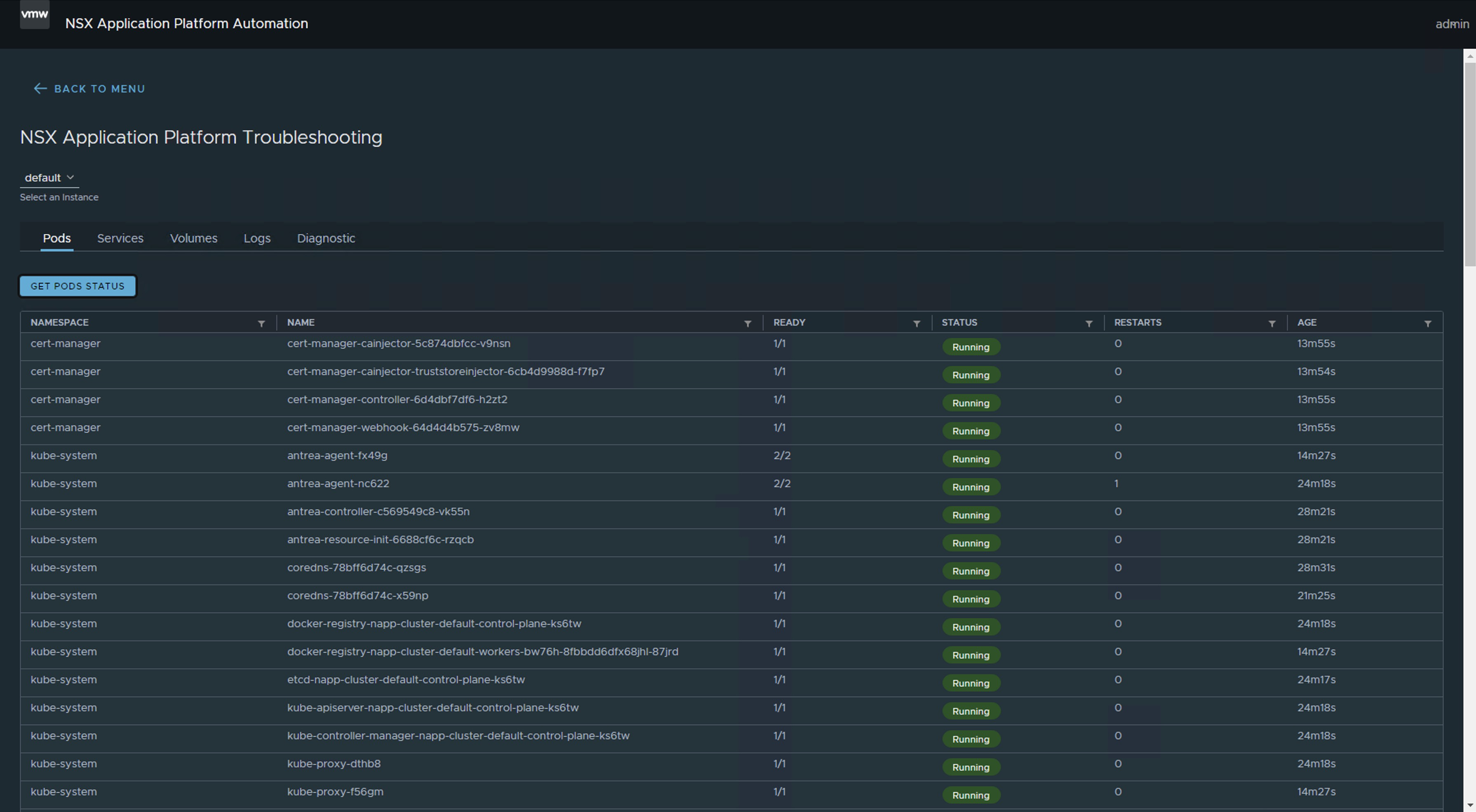
Note 4: If we use the Troubleshooting option of the NAPPA (NSX Application Platform Automation Appliance), we can see the moment when all the Pods are up.

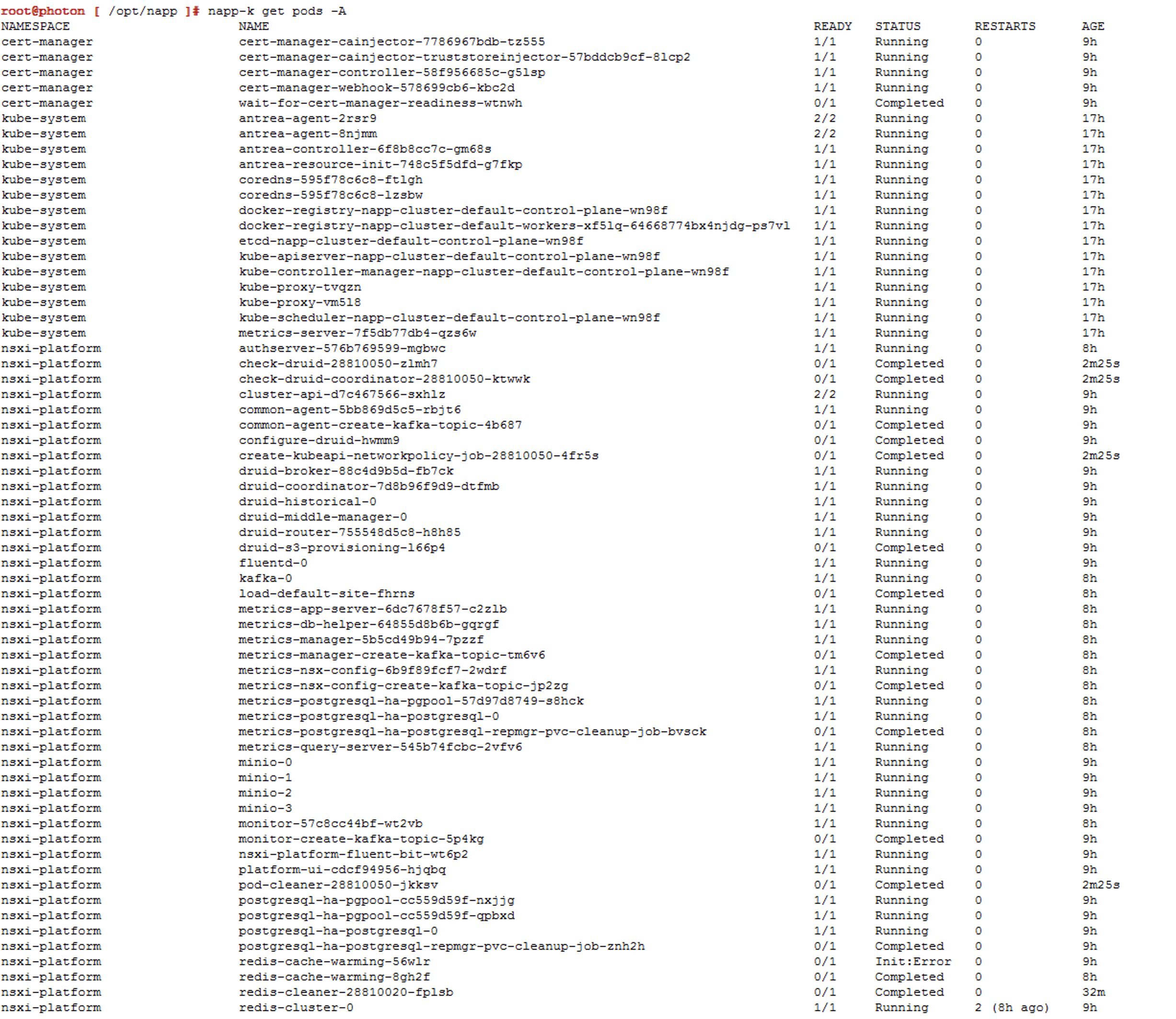
We can use the command napp-k get pods -A.
Reference screenshots for additional updates (jumps).
Jump to v1.25.13---vmware.1-fips.1-tkg.1


Jump to `v1.26.12—vmware.2-fips.1-tkg.2
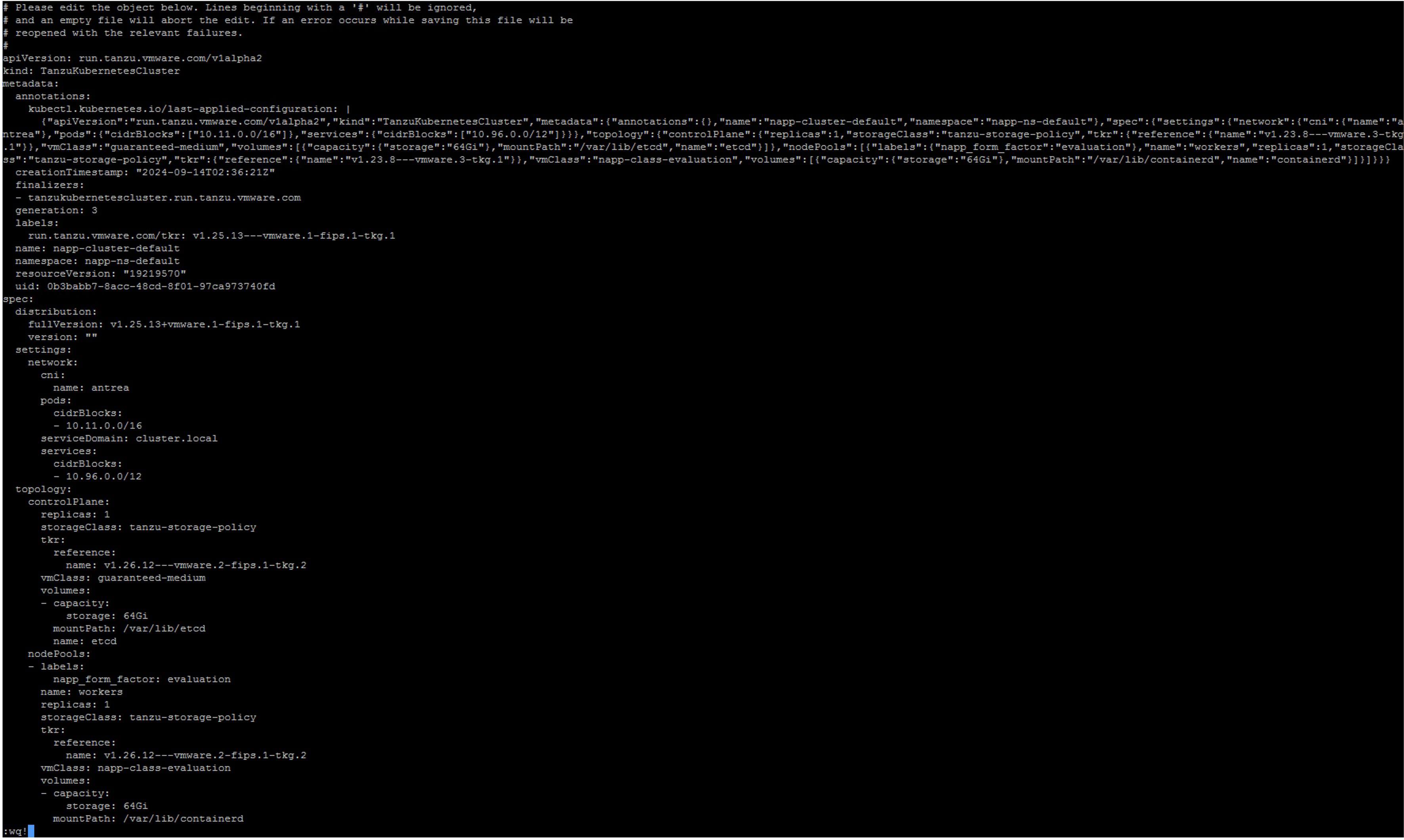


Jump to `v1.27.10—vmware.1-fips.1-tkg.1

Update Kubernetes Tools
Once we have completed the updates and are now on a compatible version according to the NSX Intelligence interoperability matrix, you are likely to see the following alert on the interface. If you are on a version higher than NSX 4.1.2.2, this alert will probably not appear.
Server version v1.27.10+vmware.1-fips.1 and client version v1.23.3 are incompatible. Please upload Kubernetes Tools to resolve.
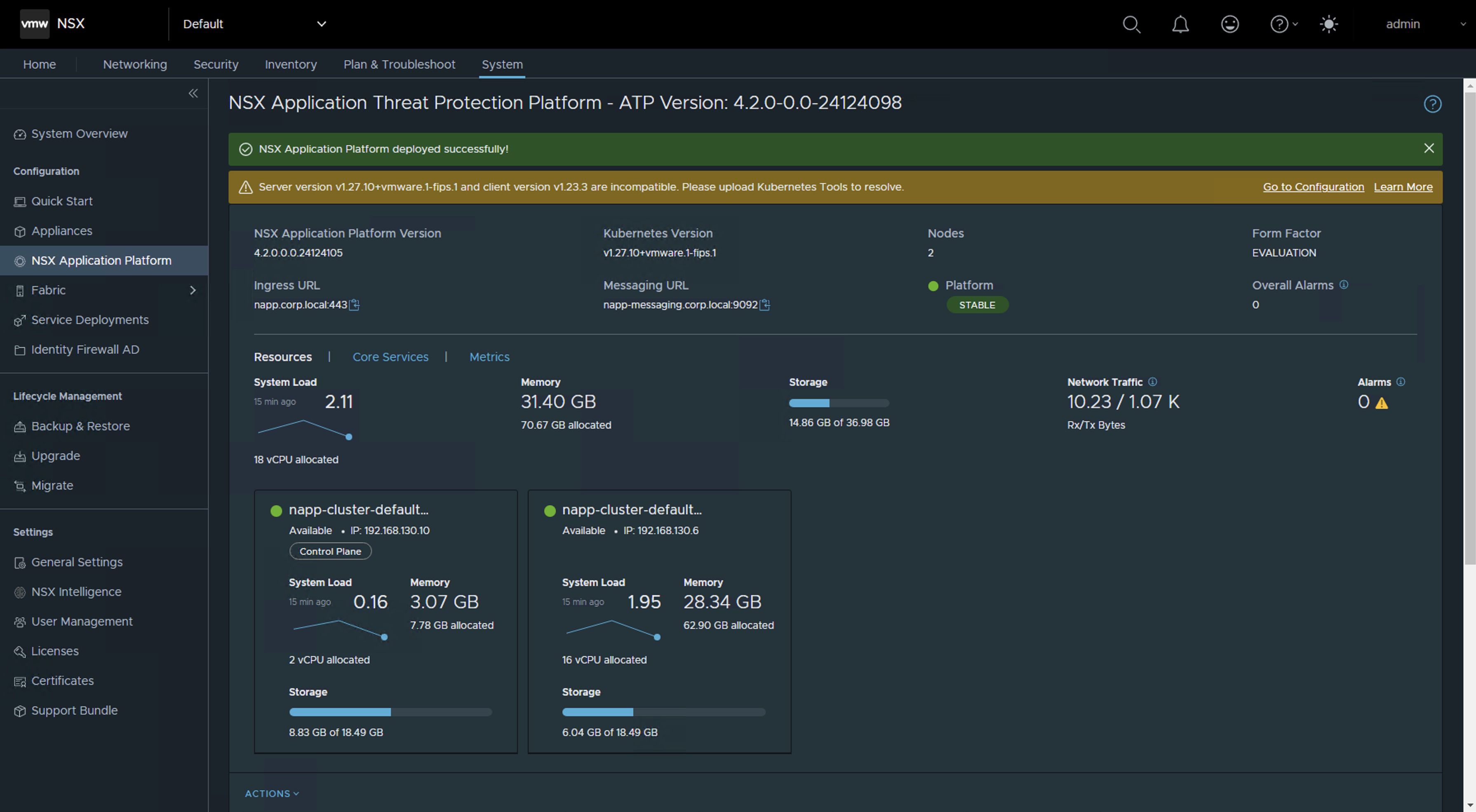
To resolve this alert, simply follow the next KB NAPP pane in NSX UI shows message "Server version and client version are incompatible. Please upload Kubernetes Tools to resolve.
And that’s all, folks! With this procedure, you will be able to maintain the Kubernetes (K8s) cluster deployed as part of the NSX Application Platform (NAPP) solution.
IMPORTANT! I have migrated the blog from the domain nachoaprendevirtualizacion.com to nachoaprendeit.com. If you found this article useful, please give it a like and share it with your colleagues. These actions will help me optimize search engines to reach more people.

ALL NAMES OF VMS USED IN THIS BLOG ARE INVENTED AND PERTAIN TO A PERSONAL LABORATORY ENVIRONMENT, USED FOR STUDY PURPOSES.












 Nacho Aprende IT